CommandBar Forms (Plugin)
Note: Available from v3.21
Plugin developers can present multi-field forms inside the Command Bar using CommandBar.showForm(). This lets you collect structured input from the user — text, numbers, dates, toggles, and dropdowns — in a single step, instead of chaining multiple showInput or showOptions calls.
If you're new to plugin development, see Create Plugins first.
How it looks
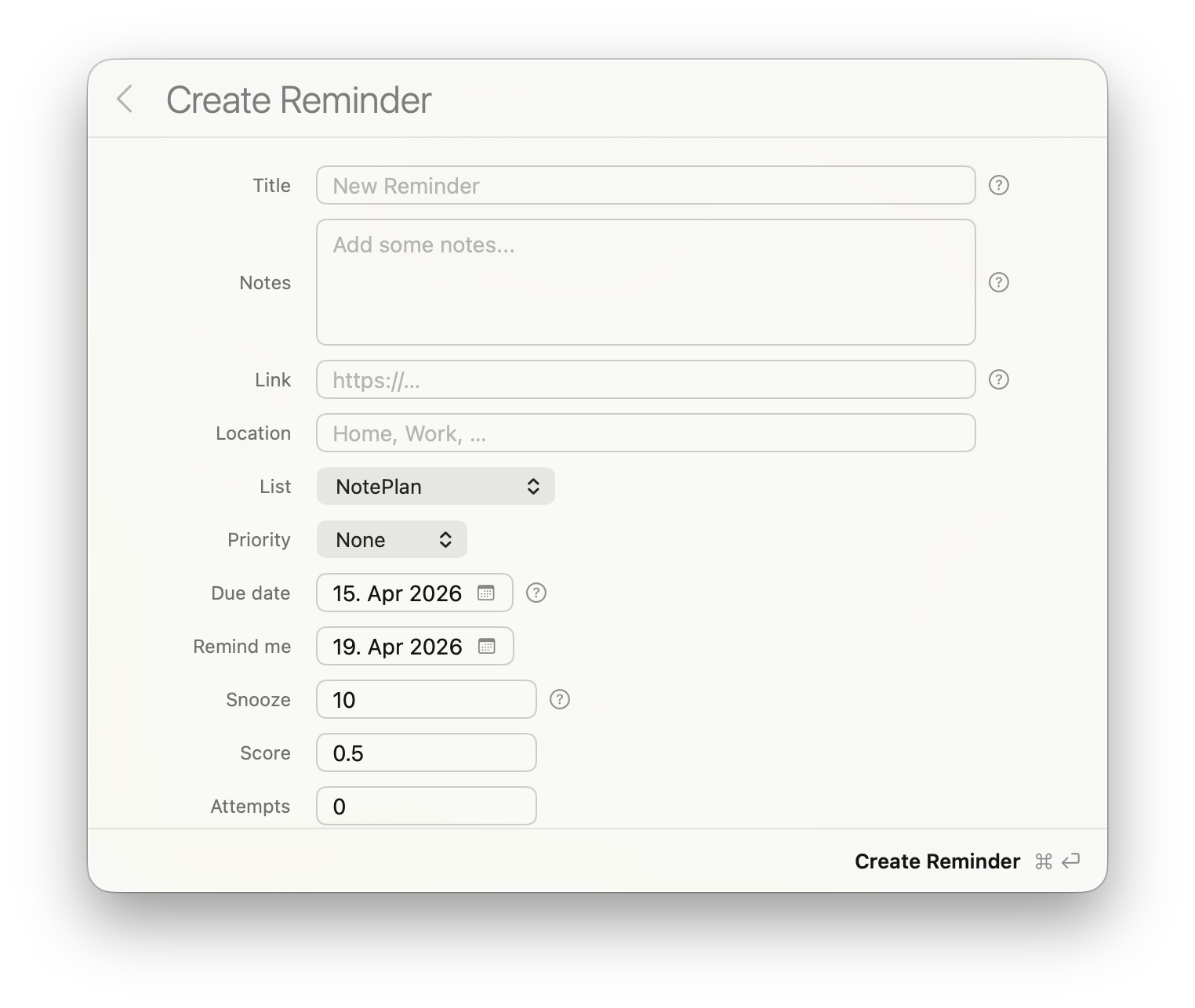
The form appears inside the command bar window with labeled rows and a glass background.
Supported field types
| Type | What it renders | Value returned |
|---|---|---|
string |
Text field | String |
string + choices |
Dropdown picker | String |
string + boxHeight |
Multi-line text area | String |
number |
Numeric text field | Number |
bool |
Toggle switch | Boolean |
date |
Date picker with calendar | String (YYYY-MM-DD) or null |
hidden |
Not displayed | Default value passed through |
Date fields are optional by default — the user can select "No date" and null is returned. Set required: true to force a date selection. Use default: null (or omit the default) to start with no date pre-selected.
Field properties
Every field requires type and title. Fields that produce a value also need a key (the property name in the result). Optional properties:
placeholder— grey hint text shown when the field is empty (string and number fields)default— pre-filled valuerequired— iftrue, the form won't submit until this field has a valuedescription— help text the user can reveal by tapping the info button next to the field
Example
async function collectFeedback() {
    const result = await CommandBar.showForm({
        title: "Quick Feedback",
        submitText: "Send",
        fields: [
            { type: "string", key: "subject", title: "Subject", required: true,
              placeholder: "What is this about?" },
            { type: "string", key: "details", title: "Details", boxHeight: 80 },
            { type: "string", key: "category", title: "Category",
              choices: ["Bug", "Feature request", "Question"], default: "Bug" },
            { type: "date", key: "when", title: "When did it happen?" },
            { type: "number", key: "severity", title: "Severity (1-5)", default: 3 },
            { type: "bool", key: "blocking", title: "Blocking your work?", default: false }
        ]
    })

    if (!result.submitted) return

    const v = result.values
    console.log("Subject: " + v.subject)
    console.log("Category: " + v.category)
    console.log("Date: " + v.when)         // "2026-04-10" or null
    console.log("Blocking: " + v.blocking) // true or false
}
Keyboard shortcuts
- Cmd + Return — Submit the form
- Escape — Cancel and close
- Tab / Shift + Tab — Move between text fields
Result object
showForm() returns a CommandBarFormResult with two properties:
submitted(Bool) —trueif the user pressed Submit,falseif they cancelledvalues(Object) — the entered values, keyed by each field'skey
See also: Create Plugins · Javascript Plugin API · Plugin Configuration